User is unable to process temporary contact

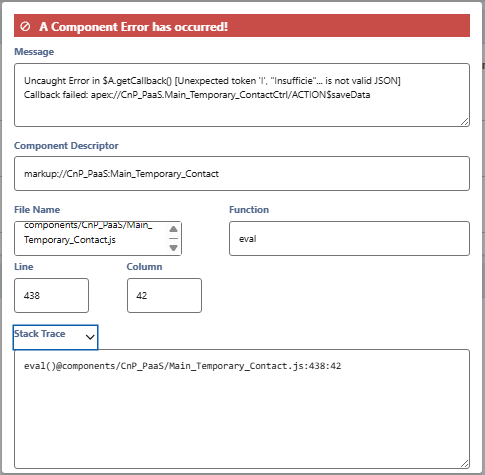
One of our users is unable to process temporary contacts after a recent upgrade. We do not want every user to have access to all of click and pay however we would like to know what permissions someone needs to process a temporary contact. Here is the error that popped up when this happened. They were able to process temporary contacts via click & pay before we had the update made.
-
Official comment

Hi Jillian,
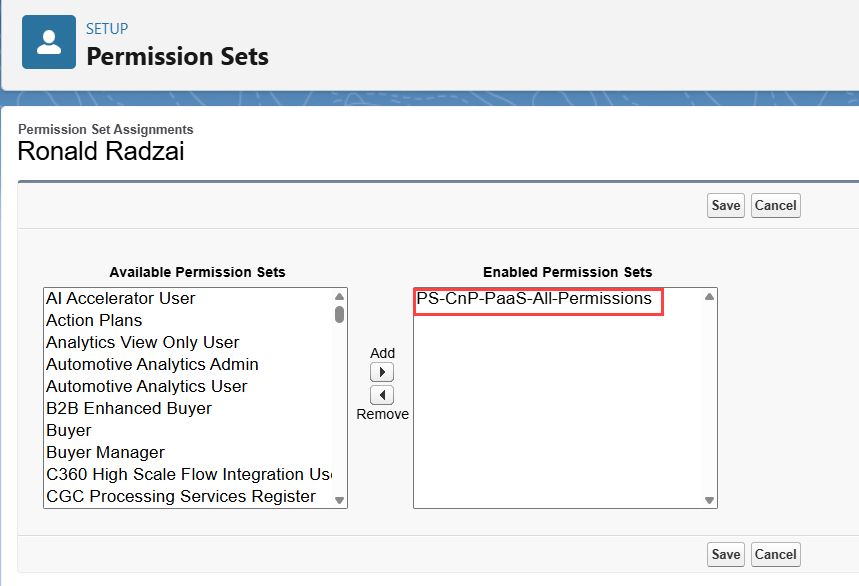
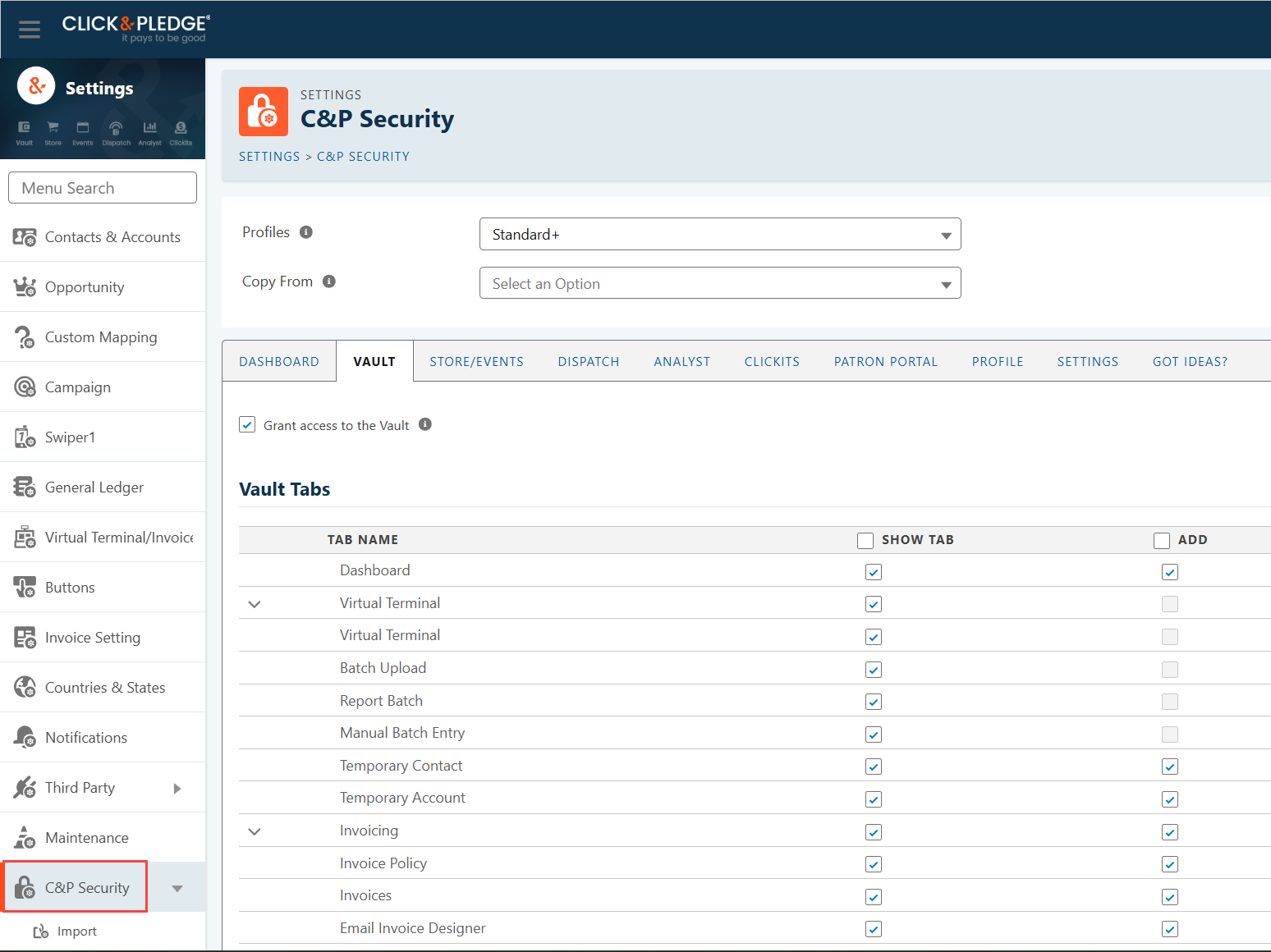
The permissions someone needs to Process Temporary Contacts are the following. They need the Permission Set: “PS-CnP-PaaS-All-Permissions.” Then, you can restrict their access by going to Click & Pay Suite > Settings > C&P Security. In the C&P Security section, choose their Profile and use the checkboxes to deselect what you do not want them to access. Click the SAVE button at the bottom of the page to save changes.
If you have completed these steps and the User is still experiencing an error when trying to Process Temp Contacts, please let us know.
-

Hello Jaxsen, Good day!
Could you please share the Salesforce Org ID and grant login access from the relevant user? This will allow us to log in and review the issue directly.
We look forward to your response.
0 -

Abdul, this user does not have the option to select C&P Support under “Grant Login Access.” We added the “PS-CnP-PaaS-ONLY-GrantAccountLoginAccess-CnP-Support” Perm Set and they still don't have the C&P option.
In the meantime, I've granted access under my login. Org ID is 00D300000006fcR. The impacted user's ID is 005Qh000003M8rd. This is URGENT, if you would please address this ASAP.
0
Please sign in to leave a comment.
Comments
3 comments