It's always great when someone removes an item from your To-Do list. Instead of designing a donation form from scratch, we have made it easy by providing predesigned donation form templates available for every CONNECT Campaign.
In this article we provide:
Giving Tuesday Designs
Holiday Designs
Tips for Maximizing Giving
Giving Tuesday - Form 1
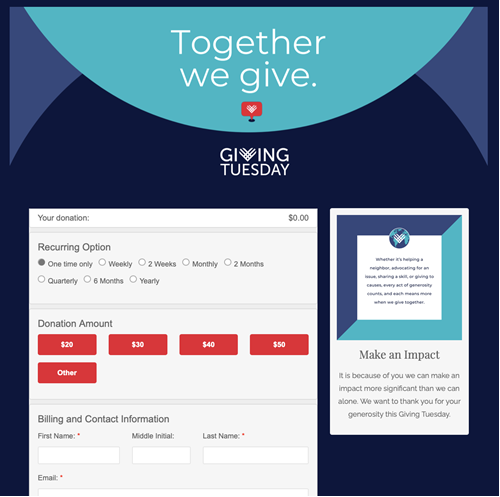
Giving Tuesday - Form 2
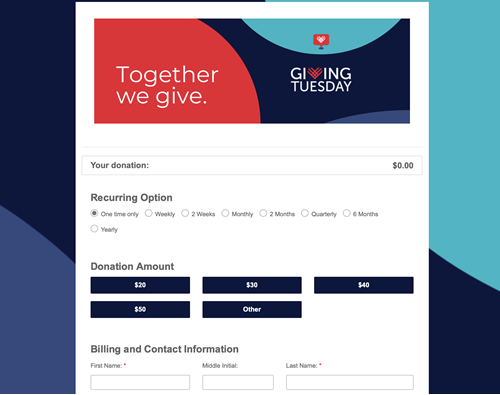
Holiday Designs
Holiday Form 1
Holiday Form 2
Holiday Form 3
Tips for Maximizing Giving
-
Enable intelliBooster™ - an innovative AI-driven solution developed by Click & Pledge designed to automatically adjust the numbers on payment forms based on a patron's previous giving history and their future giving potential.
To activate intelliBooster , go to the "campaign details" section of the campaign, "Basic Information," and click the box to enable intelliBooster. - Are you offering all credit card options for your supporter? If your organization has PayPal/Venmo, you can link that account to your Click & Pledge account to add them to all donation forms. Read more about Payment Methods.
- Are you asking donors if their employer matches gifts with either custom questions or our integration with Double the Donation? You may be leaving money behind by not asking.