further adjusments to Pay Quickly slider

Hi, how do we change the following items on a Pay Quickly form? https://i.imgur.com/0yIP6QM.png:

- Placeholder text for “Other” amount
- Currency symbol position for “Other” amount
- Button default and mouseover colors and shapes
Thanks!
Daniel
-
Official comment

Hello Daniel Lerch Good day!
In the PayQuick.ly form, the specific customization options you mentioned are not available. The PayQuick.ly form inherits its display and settings from the Campaign Settings and the Form associated with PayQuick.ly.
Placeholder text for the “Other” amount:
You can update this label by going to:
Campaign Details > Payment Options > Show Other Field
From there, you can modify the text that appears for the “Other” amount.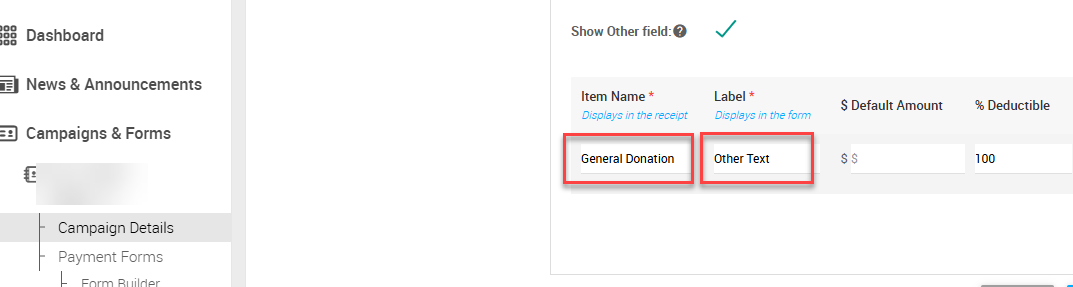
Currency symbol position:
This is not customizable at the moment.Default button selection:
You can choose the default payment option under:
Campaign Details > Payment Options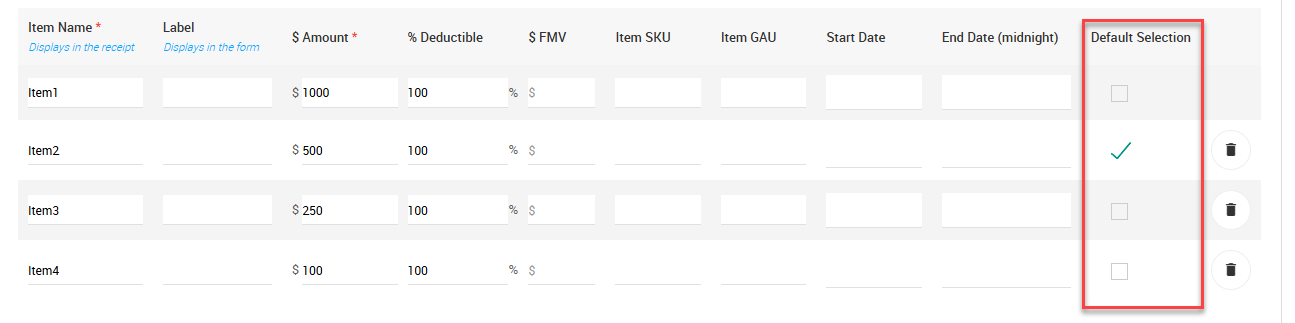
Mouseover colors/shapes:
Button shapes and mouseover effects can be adjusted by updating the border radius settings in Form Builder.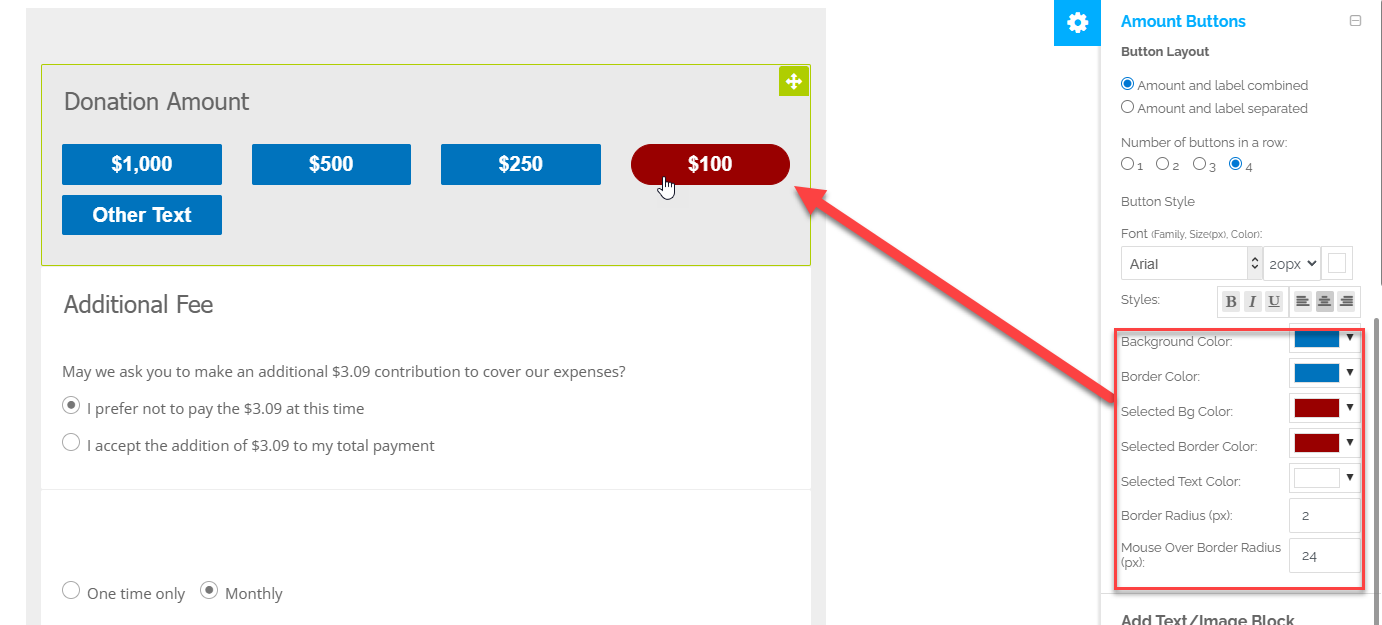
Please let us know if you need any further assistance.
Please sign in to leave a comment.
Comments
1 comment